
Clear payment links on Flare.
With RailSplit, a merchant publishes one payment link, names the dollar price, and the payment confirms onchain at the live FTSOv2 rate and lands in their wallet.
Start with the overview, then review the flow below. If you want the merchant view first, open /dashboard.
Overview
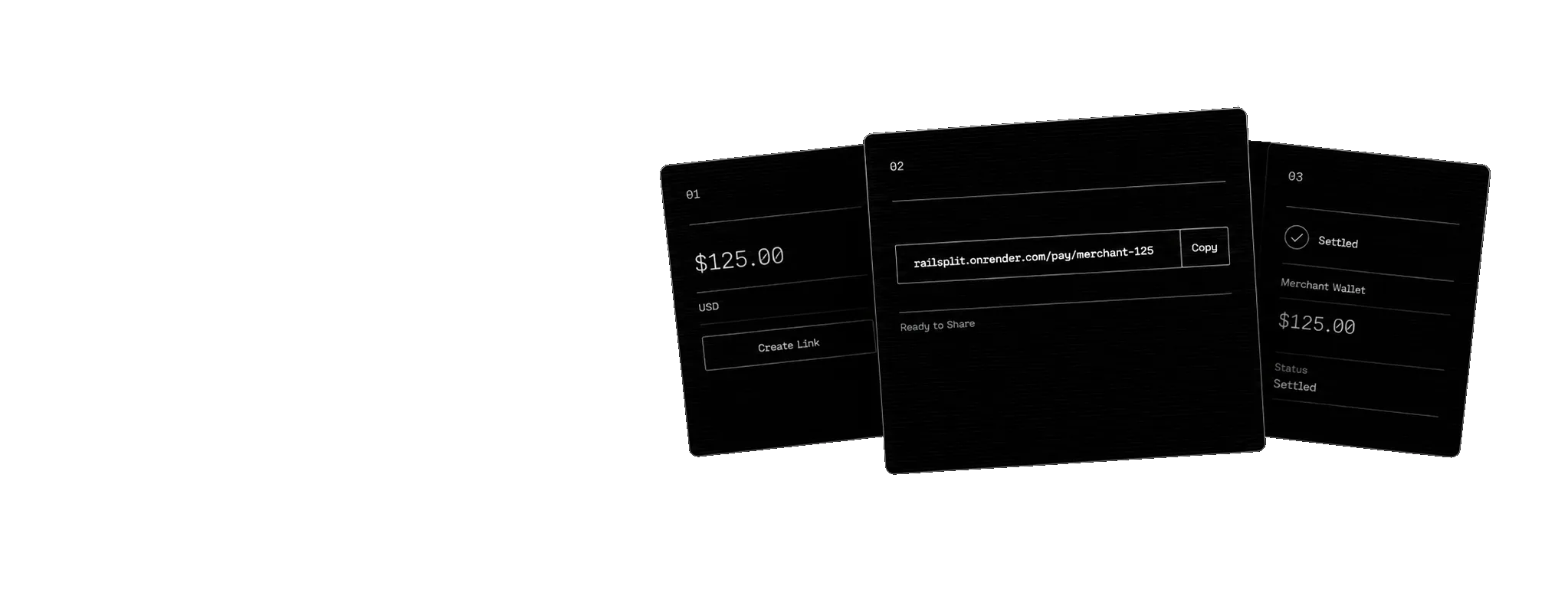
The flow is simple: publish a dollar-priced link, share it, and the payment moves onchain to the merchant wallet. The merchant receives the dollar value they asked for, and the customer gets anything sent over refunded.
The landing page introduces the product, the checkout confirms the amount, the dashboard shows merchant activity, and this page ties the flow together.
Flow
- Set a dollar price. The merchant connects a wallet and publishes a payment link with a title and the exact amount, stored onchain by its public slug.
- Share one payment link. Customers open it, connect a wallet, and see the dollar price with the coin amount due right now, read from the live FTSOv2 feed for the coin they pick — C2FLR or FXRP.
- Settle onchain. The contract reads the feed again at payment time, converts the price, forwards the coin to the merchant, and returns the surplus to the customer. The link closes itself.
Settlement
The conversion happens inside the contract, not in the browser. The caller cannot pass in a rate, so the amount charged is whatever the live feed reports at the moment of payment.
- The merchant receives exactly the converted amount; the surplus is refunded to the payer in the same transaction.
- A payment is rejected if the feed is more than 300 seconds old, so nothing settles at a stale rate.
- Each link is single use and closes itself once a payment settles.
- Settlement history is stored onchain and read back in pages, newest first, so the dashboard loads from a plain call.
- If the network cannot read the rate, the app shows a clear retry state.
Wallets
Customers only need a wallet to pay. Merchants only need to connect a wallet to see their links and settlement history.
If no wallet is connected, the app stays public and the sensitive views stay hidden.
Dashboard
The merchant dashboard shows settlement metrics, payment links, and a live onchain ledger once a wallet is connected.
- Links appear as onchain records with their dollar price and status.
- Recent settlements appear in a ledger with the dollar price and coin amount received.
- Every link can be shared as a QR code or copied checkout URL.
- Paid links offer a receipt, downloadable as a JPEG, that links to the explorer.
- The view stays scoped to the connected merchant.
Testnet
RailSplit runs on Coston2 for the demo. Use a test wallet and the faucet before trying the live flow yourself.
FAQ
- What does RailSplit do?
- RailSplit turns a merchant's dollar price into an onchain payment link. The customer chooses to pay in the network's native coin or in FXRP (testnet XRP as an ERC-20 FAsset), each at its live FTSOv2 feed rate, and the funds move to the merchant's wallet without an intermediary.
- Who sets the coin amount?
- No one in the browser. The conversion happens inside the contract against the live feed at the moment of payment, so no one can pay at a stale or self-chosen rate.
- Why does the checkout ask for slightly more than the price?
- The dollar price is fixed, but the coin amount moves with the live rate. Customers send a small buffer to absorb rate movement, and the contract refunds whatever is left over in the same transaction.
- What happens if the feed is old?
- A payment is rejected if the feed timestamp is more than 300 seconds behind the block. RailSplit refuses to settle at an old rate.
- Can a link be paid twice?
- No. Each link is single use. It is deactivated in the same transaction that settles it, before any value moves.
- Is this live on mainnet?
- Not yet. The demo runs on Coston2 today.